Papio-software › Papio-Files
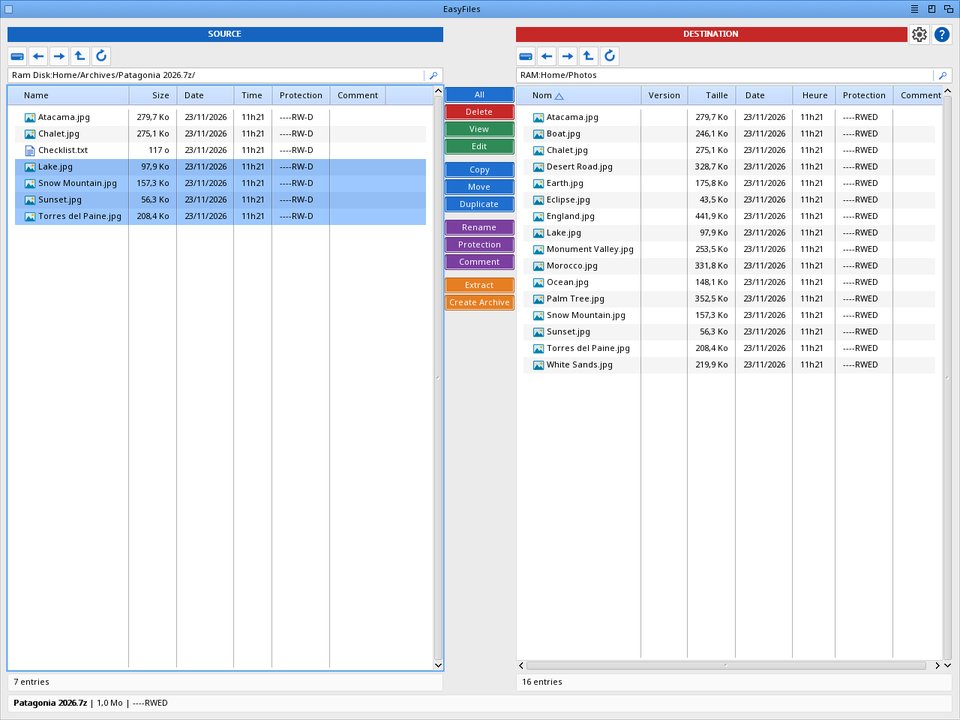
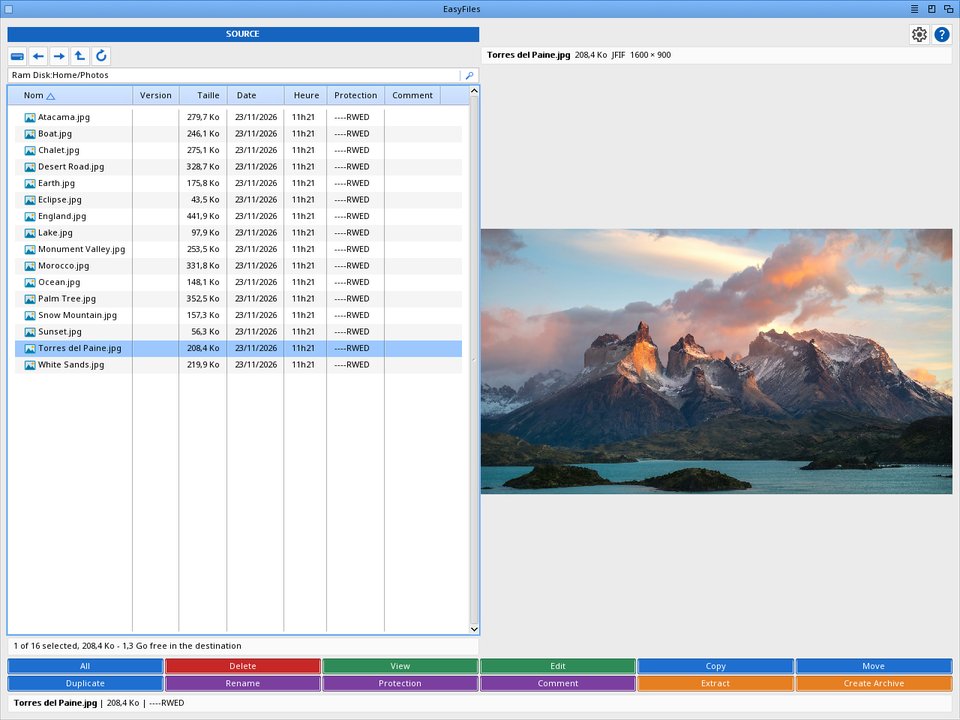
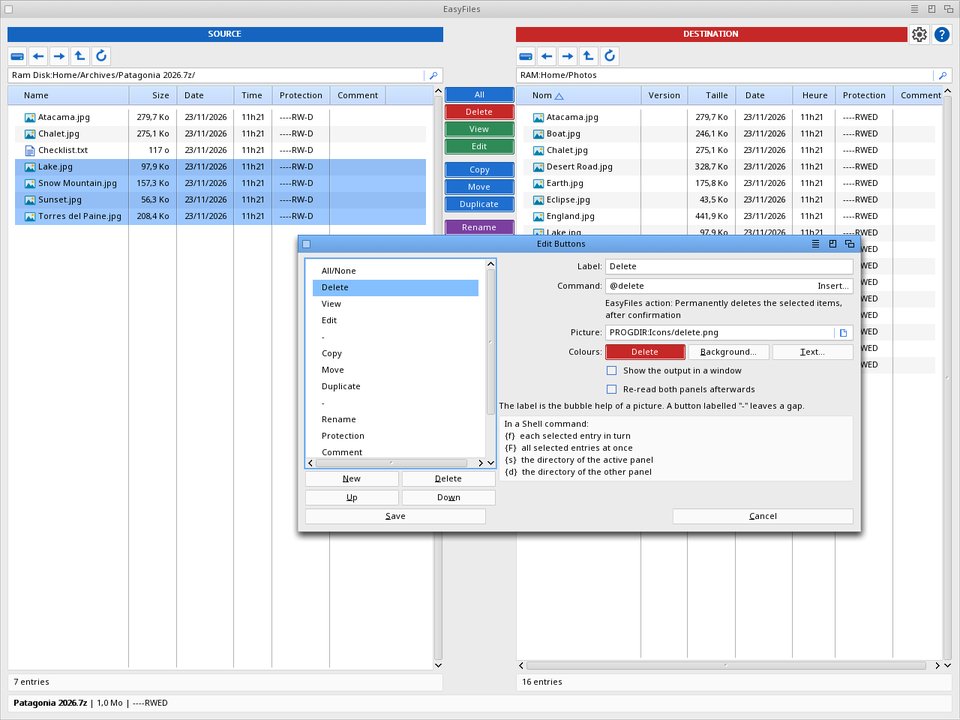
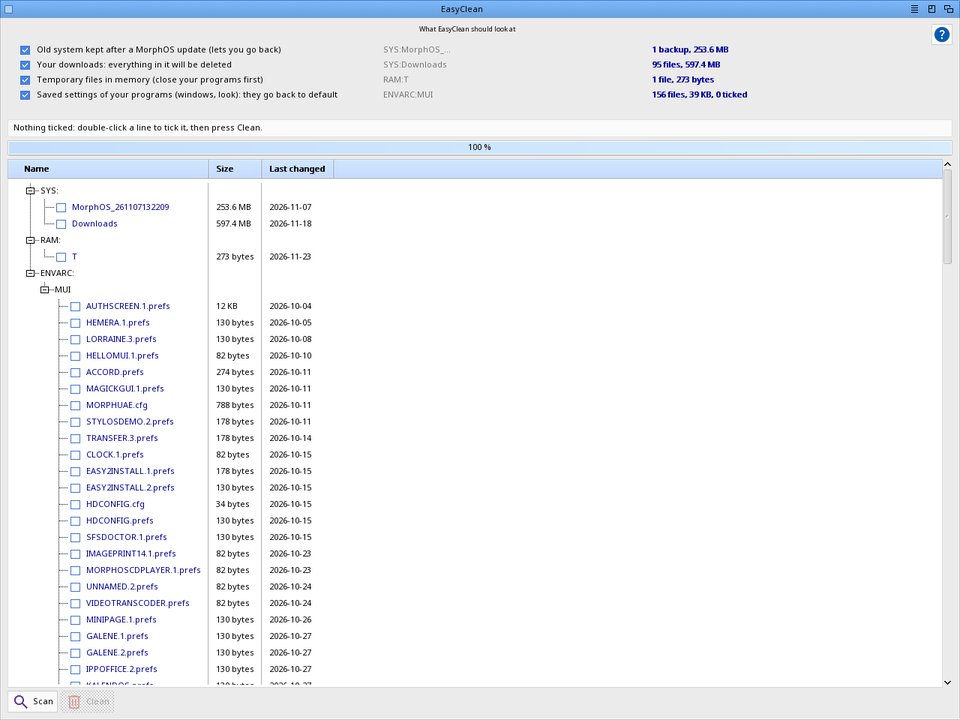
Papio-Files - EasyFiles, two-panel file manager Papio-Files - EasyFiles, the quick preview of a picture Papio-Files - EasyFiles, editing a button Papio-Files - EasyClean, what an update left behind
Suite

Papio-Files

Version 1.5

Three programs to look after your files and your system, in one archive: EasyFiles (file manager), EasyClean (cleaning) and EasyRepair (system check). Copy the directory wherever you like: nothing is written outside it, and every program speaks 16 languages, its manual included.

Demo versions — every program can be tried: EasyFiles browses, copies, moves and renames, EasyClean shows everything it could free, EasyRepair analyses the whole system. Backup, creating an archive, deleting and quarantine need a registration. EasyFiles 19.90 €, EasyRepair 9.90 €, EasyClean 4.90 € — all three: 19.90 €, future updates included. Contact me to receive your registered version.
  • Three native programs in one archive: EasyFiles, EasyClean and EasyRepair
  • EasyFiles: two panels, copies checked before they take their name, archives opened like directories, FTP, FTPS and SFTP servers
  • EasyClean: frees the space a MorphOS update leaves behind, and clears downloads, temporary files and old MUI settings
  • EasyRepair: compares your MorphOS with the files of your version; a file can be put aside in quarantine, or its original taken from the ISO
  • Nothing written outside the directory; 16 languages with their manuals; requires MorphOS 3.20+
EasyFiles - two-panel file manager
File manager

EasyFiles #

Version 1.6 19.90 €

EasyFiles shows two directories side by side and moves files between them: the source panel in blue, the destination in red, each with its own bar of buttons. A copy is checked before it takes its name, and a move deletes the original only once the copy is checked.

  • Copy, move, clone, rename, delete, protection and comment, with a copy window that shows the speed and the time left
  • Archives open like directories with a double-click (lha, lzx, zip, 7z, rar...); creates LhA archives
  • FTP, FTPS and SFTP servers in a panel, saved and opened with one click
  • Quick preview of pictures, sounds, texts and PDF, and a text editor, in the other panel
  • Backup of a directory or a volume: only what is new or changed is copied
  • Buttons of your own: a picture or a label, a built-in function or any Shell command
EasyClean - what an update left behind
System cleaner

EasyClean #

Version 1.3 4.90 €

EasyClean finds what takes room on your system for nothing and deletes it when you say so. Nothing is ticked at start: tick what to look at, press Scan, and see what each place holds before anything goes.

  • The old system a MorphOS update keeps, often hundreds of MB, and the old tools of an SDK update
  • Your downloads, the temporary files in RAM:T and the old settings of your programs in ENVARC:MUI
  • Every directory and file listed with its size and date; you tick what goes
  • The list of what will be deleted is shown, and confirmed, first
System check

EasyRepair #

Version 1.3 9.90 €

EasyRepair compares your MorphOS with the files of your version and shows what is not as it should be: files modified, missing, renamed or added, and old copies in SYS: that hide the files of MorphOS.

  • Each difference in its colour: red deserves a look, orange is probably wanted, green is fine
  • Shadow files: the old copy and the MorphOS file, with their versions side by side
  • Quarantine rather than delete: a file is put aside and can be put back
  • The original of a missing or modified file taken back from the ISO of your version; the comparison base of MorphOS 3.20 is built in